
Mastering CRM Workflows for Real Estate Sales Follow-Up
At its heart, a real estate CRM workflow is your automated playbook for talking to potential buyers and sellers. It’s a series of pre-planned, automated actions that kick in to manage how you communicate with every single lead.
Instead of manually trying to remember who to call, text, or email, the workflow does it for you. This ensures every lead receives timely, consistent, and relevant communication across different channels—like WhatsApp, SMS, and email—so valuable prospects never fall through the cracks. It replaces scattered notes and a stressed-out memory with a reliable, predictable system for managing leads, tracking calls, booking appointments, and ultimately, closing more deals.
Why Modern Real Estate Sales Runs on Workflows
In a fast-moving real estate market, especially in competitive hubs like the MENA region, trying to manage leads with spreadsheets and sticky notes is a recipe for disaster. Agents are constantly juggling a flood of inquiries, scheduling viewings, and keeping track of who wants what. Without a solid system, it’s just chaos, leading to dropped leads and inconsistent follow-up.
This is exactly where CRM workflows step in to become your central command center. Don’t think of them as just software; think of them as your pre-programmed game plan. They guarantee every lead gets the right message at the right time, every single time. These automated sequences turn a disorganized mess of inquiries into a structured, predictable sales pipeline, handling everything from initial WhatsApp messages and call tracking to seamless appointment booking.
The Shift From Manual Chaos to Automated Clarity
The old way of doing things relied heavily on an agent's memory and manual effort, which is always vulnerable to human error. An agent might forget to call someone back, send the wrong property details, or completely lose a prospect’s contact info. A workflow, on the other hand, runs on rules you set in advance.
- Instant Engagement: The moment a new lead fills out a form on your website or social media, the workflow can fire off a personalized WhatsApp message and an email with the property brochure. No delay.
- Persistent Nurturing: It can then schedule a follow-up SMS with a virtual tour link two days later. If the lead clicks that link, the workflow can automatically create a task for an agent to make a personal call and book an appointment.
- Data-Driven Decisions: Best of all, every single interaction is tracked. Your sales teams get priceless insight into which follow-up tactics are actually working and which aren't.
Let's look at the difference side-by-side.
Manual Follow-Up vs Automated CRM Workflow
The contrast between the old, manual approach and a modern, automated one is stark. It’s a fundamental shift in how successful real estate business gets done today.
This table really drives home why top-performing agencies have moved on from manual methods. For an even deeper look at how advanced tech is reshaping the industry, check out this piece on Real Estate AI Chatbots Transforming Property Deals And Client Service.
A CRM workflow doesn’t just manage tasks; it orchestrates the entire client journey from initial interest to a signed contract, ensuring no detail is overlooked and no opportunity is wasted.
The numbers don't lie. The MENA region's real estate market, valued at USD 217.3 billion, is on fire. Yet, a staggering 68% of un-automated leads are lost after the first contact. Simply implementing automated CRM follow-ups can boost conversions by as much as 40%.
We've seen it firsthand. Agencies in Dubai have reported 55% higher viewings just by using timely WhatsApp nudges from their workflows. This simple change slashed their lead drop-off rate from a massive 62% down to just 22%. Many of these powerful principles are the same ones a modern AI automation agency uses to fuel serious growth.
Building Your First Follow-Up Cadence
This is where the rubber meets the road. Let’s move from theory to actually building your first multi-channel follow-up sequence, or what we call a cadence. A thoughtfully designed cadence is the bedrock of any solid CRM workflow. Its job is to keep you on a prospect's radar—providing value and building momentum without ever crossing the line into being a nuisance.
The goal isn't to bombard people. It's to orchestrate a series of touchpoints across different channels that feel genuinely helpful. Each email, text, and call should have a clear purpose, gently guiding the lead toward a conversation and a booked appointment. It's a fine art, balancing persistence with professionalism.
Think about the typical journey of a lead. Too often, it’s a dead end. An agent gets busy, the follow-up note gets lost, and a potential sale vanishes. A structured workflow changes everything.

As you can see, the path for a manual lead often leads nowhere. The workflow, on the other hand, creates a clear, progressive journey that dramatically increases the odds of a successful sale.
Designing A 14-Day Multi-Channel Cadence
Let's get practical and map out a 14-day cadence for a new property inquiry. This isn't just a list of things to do; it's a blueprint that details the timing, channel, and strategy behind every single interaction. You can take this exact template and adapt it for your CRM, whether you're using a platform like GoHighLevel or a more advanced tool like SMOrchestra.
In the MENA region's red-hot real estate market, getting this right is a game-changer. We've seen that implementing automated workflows can boost lead conversion by as much as 45%. The channel matters, too. Teams that integrate WhatsApp into their CRM follow-up have seen response rates skyrocket to 82%, completely dwarfing the 35% rate from manual outreach alone.
The following table is a great starting point for your own workflow.
Sample 14-Day Multi-Channel Follow-Up Cadence
This schedule is designed to engage a new lead over two weeks, mixing automated and manual touchpoints to maximize impact.
This cadence gives your team a clear playbook, ensuring every lead gets consistent, high-quality attention without anything falling through the cracks.
The Psychology Behind The Sequence
This sequence isn’t just a random schedule. It's built on proven communication principles. The first few messages are automated to deliver immediate value and gratification. Then, we vary the channels—WhatsApp, SMS, email, phone—to cut through the noise and avoid the "banner blindness" that happens when a prospect tunes out messages from the same source. This blend of automation and timely human intervention is a core component of powerful CRM email sequences for outbound sales.
Notice how the manual call is strategically placed after the lead has had time to review the information. This makes for a much warmer and more productive conversation. And that final "break-up" email? It taps into the principle of loss aversion, nudging people who are on the fence to finally take action.
By adapting this template, you can transform your CRM from a passive database into a proactive engine that drives your sales follow-up.
How to Automate Lead Qualification and Scoring
Let's be honest: not all leads are created equal. An agent's most valuable asset is their time, and spending it chasing prospects who are "just looking" is a fast track to burnout and missed targets. This is where automated lead qualification and scoring becomes your secret weapon. It’s a system you build into your CRM to automatically sort the hot leads from the merely curious, pushing the most engaged prospects right to the front of the line.
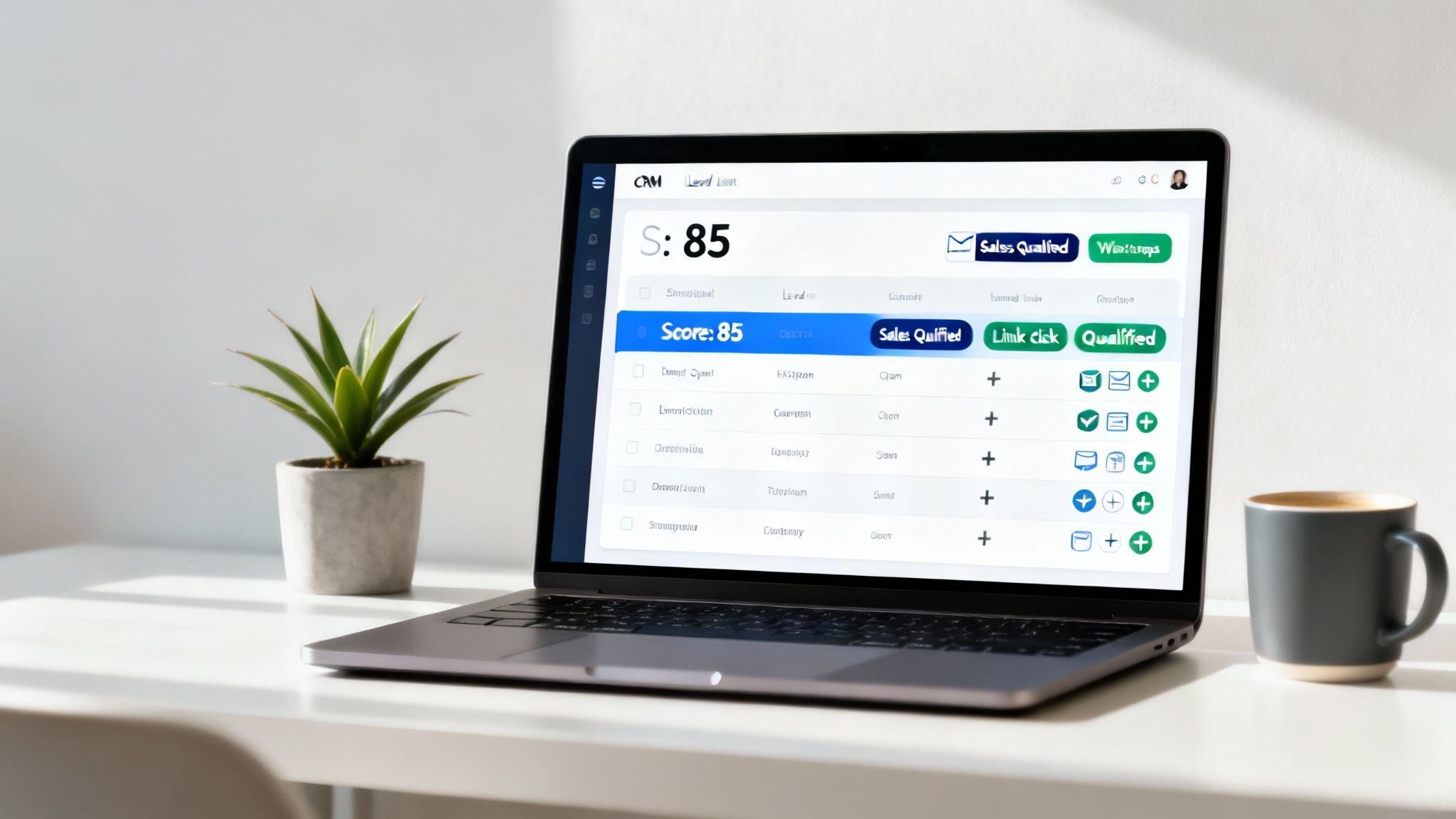
The whole process works by assigning points to leads for specific actions they take. Think of it like a digital breadcrumb trail that reveals just how interested someone really is. Every email they open, every link they click, every brochure they download—it all tells a story. By automating this, you turn a flood of raw data into a crystal-clear priority list for your sales team.
Setting Up a Points-Based Scoring System
First things first, you need to decide which actions signal real buying intent and assign a point value to each. This isn’t a random guess; your scoring system should be a direct reflection of what you know about your ideal customer’s journey. Before you start building automations, it's crucial to understand how to qualify sales leads effectively so your follow-up efforts are laser-focused on people who are actually ready to talk.
Here’s a simple example of what a real estate lead scoring model could look like:
- Filling out a property inquiry form: +5 points
- Opening a follow-up email: +2 points
- Clicking a link in an email: +5 points
- Downloading a property brochure: +15 points
- Replying to a WhatsApp message: +20 points
- Visiting the pricing or floor plans page: +25 points
- Requesting a viewing: +50 points
These are just starting points, of course. Your CRM workflow will quietly tally these points in the background for every single lead, giving you a live, objective measure of their engagement level at any given moment.
Defining the Sales-Qualified Threshold
Once your scoring system is up and running, the next critical step is setting a "Sales-Qualified" threshold. This is the magic number—the score that tells you a lead is officially "hot" and ready for a personal conversation with an agent.
For many agencies, a score of 75 points or higher is a strong indicator of a sales-qualified lead (SQL). When a lead hits this number, the workflow should automatically trigger an immediate handoff.
This is where the automation really starts to pay off. The moment a lead crosses that threshold, your workflow can instantly spring into action:
- Change the lead's status from "Nurturing" to "Sales-Qualified."
- Instantly assign the lead to an available agent based on your rules.
- Create a high-priority task in that agent’s calendar to call the lead within the hour.
- Send an internal notification (via email, Slack, or chat) to the agent with the lead’s full history and score.
This seamless process ensures your most motivated buyers get immediate, personal attention right when their interest is at its peak. This isn't just about being efficient; it's a strategic necessity. In a challenging market like Morocco, where residential transactions fell 14.5% year-on-year in Q1, every qualified lead is precious. With an estimated 65% of leads from valuable diaspora investors going cold within just 72 hours, automated scoring is vital.
The data backs this up: bilingual CRM workflows using AI to personalize reminders have been shown to boost appointment bookings by as much as 37%. Implementing these systems can dramatically improve your team's focus and, ultimately, their conversion rates.
If you're ready to go deeper, check out our comprehensive guide on lead scoring and auto-routing in CRM for more advanced strategies.
Ensuring Seamless Handoffs to Your Sales Team
Let's talk about the single most critical moment in your entire CRM workflow: the handoff. This is the point where a lead moves from your automated nurturing sequence to a real, live sales agent. Get this wrong, and you've wasted every bit of effort that came before it. Get it right, and your team looks sharp, prepared, and ready to close.
A clumsy, slow, or uninformed handoff is a deal-killer. It completely erases the goodwill you've built. The goal isn't just to pass a name and number along; it's to deliver a sales-ready lead to the right agent at the right time, armed with all the context they need for a killer conversation. This is how you eliminate that momentum-crushing question, "So, what were you interested in?"

Automated Lead Assignment and Instant Notifications
First things first: speed is everything. A high-intent lead can't be left waiting while someone figures out who should call them. Manual assignment is a bottleneck that costs you money.
The simplest and fairest solution is Round-Robin Assignment. Your CRM workflow automatically hands the next sales-qualified lead to the next agent in line. This keeps the workload balanced and ensures everyone gets a fair shot. No one gets buried in leads while another agent is waiting by the phone.
Once the lead is assigned, the agent needs to know about it instantly. A standard email that gets lost in a crowded inbox just won't cut it. Your notifications need to be immediate and impossible to ignore. Think about pushing alerts through the channels your team actually lives in:
- A direct message in your internal chat (like Slack or Microsoft Teams).
- A push notification from your mobile CRM app.
- A high-priority email and an SMS alert for good measure.
This alert can't just be a name. It needs to be a complete "digital dossier" on the lead—their lead score, the web pages they visited, the brochures they downloaded, and every automated message they've received.
Using If/Then Logic for Accountability
So, what happens if an agent is tied up on another call or simply misses the alert? This is where your workflow’s intelligence really comes into play. By using simple if/then logic, you can build an automated safety net to make sure no opportunity falls through the cracks.
A well-designed workflow doesn't just assign leads; it manages them. It watches for inaction and automatically takes corrective steps, protecting your most valuable prospects from human error.
Here's a practical example. You can build rules right into your CRM workflows for real estate sales follow-up that trigger based on time and what the agent does (or doesn't do).
Example Accountability Workflow:
- IF a new hot lead is assigned to Agent A...
- AND IF Agent A fails to log a call or send a personal email within 4 hours...
- Action 1: It reassigns the lead to the next person in the round-robin queue (Agent B).
- Action 2: It pings the sales manager with an alert about the missed follow-up.
- Lead Response Time: How fast does a new lead get that first message, whether it's automated or from an agent? In real estate, speed is everything. A sluggish first response means you’re probably losing that lead to a competitor who was quicker on the draw.
- Follow-up Rate: What percentage of your leads actually receive all the touchpoints you planned in your cadence? If this number is low, it could point to a technical glitch in your workflow or signal that leads are being kicked out of the sequence too soon.
- Engagement Rate: This is where you look past simple opens and clicks. We're talking about meaningful actions: replies to your WhatsApp messages, detailed responses to emails, or people coming back to your property listings. Strong engagement is a clear sign that your messaging is hitting the mark.
- Appointment Booking Rate: A pivotal mid-funnel metric. This tracks the percentage of leads who take the next step and book a viewing or a consultation. It’s a direct measure of how well your workflow is nurturing interest and creating genuine sales opportunities.
- Lead-to-Sale Conversion Rate: The bottom line. This is the ultimate measure of success, calculating what percentage of your total leads turn into closed deals. This KPI ties every workflow activity directly to revenue, giving you the clearest possible picture of its impact.
- If
Language = Arabic, the system automatically sends the Arabic message sequence. - If
Language = English, it sends the English version. - Use personalization tokens like
[First Name]and[Property Name]to make it feel specific to them. - Write your messages like you’re texting a real person. Keep it brief, friendly, and to the point.
- Ask open-ended questions that invite a reply, like, "What did you think of the virtual tour?"
- Most importantly, mix in manual phone calls at key moments. Nothing replaces that genuine human touch.
This simple logic creates a powerful accountability loop. It protects your revenue pipeline by ensuring hot leads don't go cold, and it gives managers a real-time pulse on team performance. For companies aiming to scale up their sales efforts, these are the foundational principles behind building managed outbound growth systems for MENA businesses. By automating these handoffs, you effectively turn your CRM into a proactive manager that ensures every single lead gets the attention it deserves.
Measuring the Success of Your Workflows
Building a slick, automated follow-up system is a huge step, but it’s only half the journey. If you aren't measuring how your workflows perform, you're essentially flying blind. Data is the only real way to know if your automated sequences are closing deals or just creating digital noise. It's time to move past surface-level stats like email open rates and dial in on the numbers that actually grow your revenue.
When you track the right metrics, you can spot exactly where your sales process is breaking down, test different follow-up ideas against each other, and show stakeholders the real, tangible return on your automation investment. This is how your CRM goes from being a glorified address book to a powerful performance engine.
The KPIs That Really Matter for Real Estate
To get a true read on your workflow's health, you need a dashboard that focuses on a few critical metrics. These are the numbers that tell the full story, from the moment a lead comes in to the day a deal closes.
Here are the non-negotiable KPIs every real estate team should have on their radar:
Benchmarking and Constant Improvement
Just tracking these numbers isn't enough; you have to know what they're telling you. Start by comparing your performance against industry benchmarks, but more importantly, against your own past performance. For example, if your appointment booking rate is hovering at 15% while the industry average is closer to 25%, you've just found a major opportunity for improvement in the middle of your funnel.
A great workflow is never really "done." Think of it as a living system that needs continuous testing and tweaking based on real-world data. Small changes—like adjusting the timing of a WhatsApp message or rewriting an email subject line—can have a massive impact on your conversion rates.
By analyzing these KPIs, you can start answering tough business questions with confidence. Are your agents getting bogged down with unqualified leads? Are good opportunities falling through the cracks during a slow handoff? The data will point you exactly where you need to focus. For a deeper look at the front end of this process, our guide on generating high-quality digital marketing leads offers some great strategies to get you started.
Common Questions About Real Estate CRM Workflows
Diving into automation always brings up a few questions. Let's tackle some of the most common things agents ask when they're getting their hands dirty with CRM workflows for real estate sales follow-up.
How Long Does It Take to Set Up a Basic Workflow?
You can get a basic follow-up sequence running faster than you might think. If you’re using a pre-built template in a modern CRM, you could have a simple 5-step workflow—say, an instant WhatsApp, a follow-up email, and a task for an agent—up and running in as little as 1-2 hours.
Honestly, the bulk of the time isn't the technical setup; it's crafting compelling messages that actually get a response.
Can CRM Workflows Handle English and Arabic Leads?
Absolutely. A well-designed system handles bilingual communication without breaking a sweat. The trick is to use a simple "if/then" rule that looks at the lead's language preference, which is usually something you capture right on the inquiry form.
This is a non-negotiable for the MENA market. It ensures every single lead gets a message that feels personal and professional right from the start.
What Is the Biggest Mistake to Avoid?
The single biggest mistake we see is the "set it and forget it" mindset. A workflow isn't a slow cooker; you can't just throw everything in and walk away.
You have to constantly check its performance, keep an eye on your KPIs, and tweak the messaging. If you don't analyze what's happening, you'll never know that a specific SMS is failing or that your emails have gone stale.
How Do I Ensure Automated Messages Sound Human?
The key is to write like a person, not a program. Focus on a conversational tone and smart personalization to avoid sounding like a robot.
At SMOrchestra, building these kinds of intelligent sales and marketing systems is what we do all day, every day. If you're ready to turn your inbound leads into a predictable pipeline with multi-channel automation, let's talk. Schedule a call with our team today.